The Teaching Tools That Made My Principal Stop Mid-Observation to Ask 'What Is That?'
My classroom observations used to be forgettable. Then I discovered digital engagement tools—random pickers, spinning wheels, interactive games. Now administrators request to observe my classes specifically, and other teachers ask me to demonstrate my methods. Here's what changed.
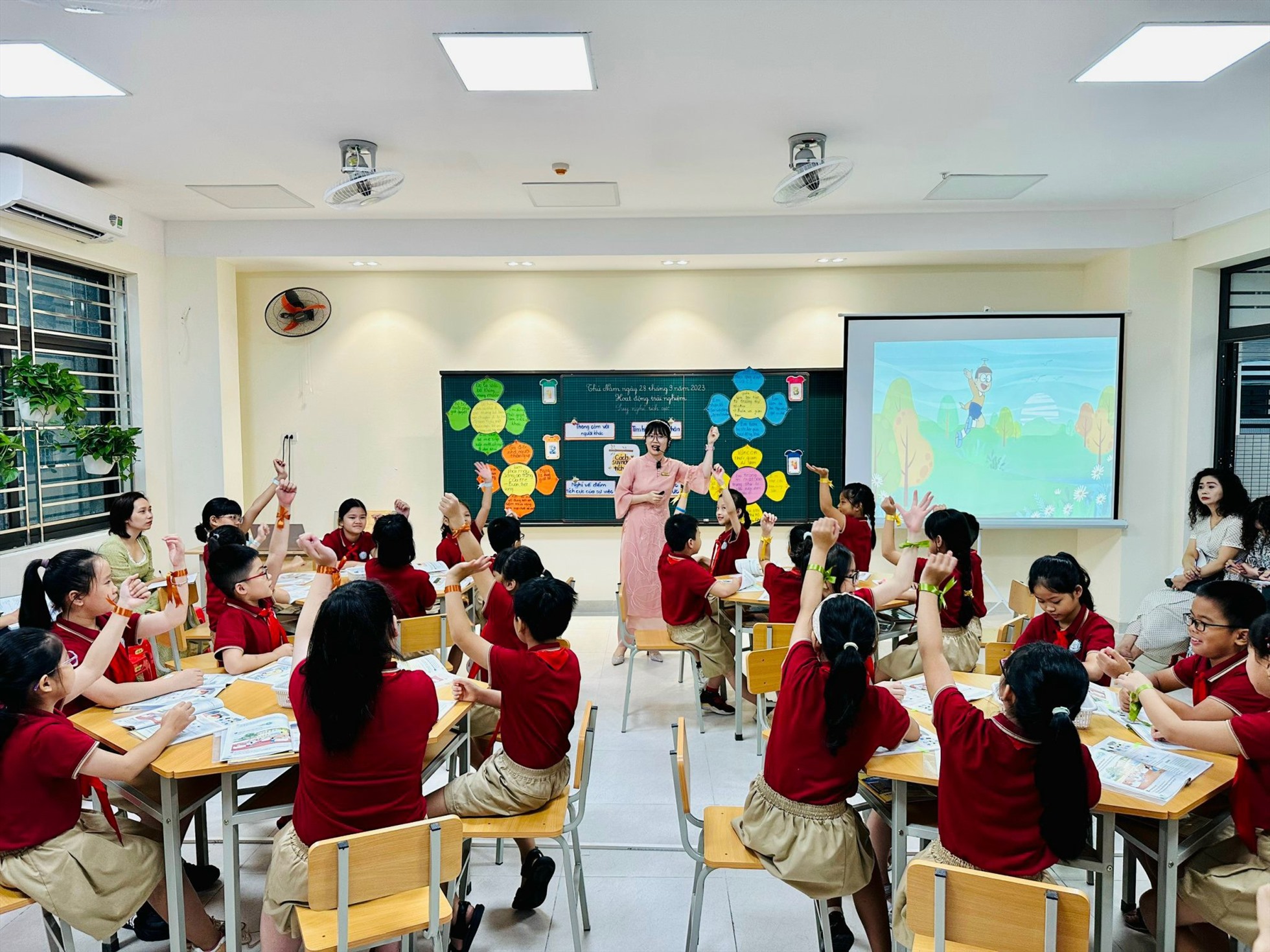
'What are you using? Show me after class!' My vice principal whispered this during an observation—something that had never happened in my 7 years of teaching. She was accustomed to traditional 'teacher lectures, students listen' classrooms. But watching my students race to answer questions using Duck Race, cheer during Magic Hat reveals, and compete in team spinner challenges—she was genuinely surprised. This article shares the digital tools that transformed how administrators view my teaching.
How My Observations Used to Go
Before discovering engagement tools, my observed lessons followed a predictable pattern:
The Typical Script
- •I explained concepts, students listened
- •I asked 'Who knows the answer?' A few hands raised
- •I called on a raised hand, that student answered correctly
- •I continued explaining...
- •Repeat until class ended
Administrator Feedback
- •'Good content knowledge' ✓
- •'Clear explanations' ✓
- •'Consider increasing student participation'
- •'Try to engage more students, not just volunteers'
- •'Lesson was... adequate'
The feedback was fair. My lessons were fine—but 'fine' doesn't stand out. 'Fine' doesn't get remembered. 'Fine' doesn't inspire other teachers or advance careers.
The fundamental problem: only 5-7 students participated in a class of 35. The rest were physically present but mentally passive. Administrators could see this, and their feedback reflected it.
The Discovery That Changed Everything
A younger colleague showed me her laptop during a break. She was using a colorful wheel spinner to select students randomly. 'It's free online,' she said. 'Students love it.'
That afternoon, I explored the website and found not just spinners, but an entire toolkit: random name pickers, dice rollers, timers, team generators, quiz games. I spent that weekend learning each tool and planning how to integrate them into my lessons.
Monday morning, my classroom felt different. And by Friday, I knew I'd found something transformative.
The Tools That Impressed Administrators Most
Tool 1: Random Name Picker (Duck Race)
Instead of asking 'Who wants to answer?' I announce 'Let's see who the ducks choose!' Animated ducks race across the screen, and the winner's name appears. Students cheer, encourage their 'duck,' and the selected student comes to the board smiling—not dreading.
Why administrators love it:
- •100% of students are engaged during selection
- •Visibly fair—no favoritism accusations possible
- •Creates anticipation, not anxiety
- •Transforms a mundane moment into excitement
Tool 2: Spinning Wheel for Topics/Activities
I create wheels with review topics, activity types, or challenge categories. Students watch the wheel spin, genuinely curious about what they'll do next. Even 'hard' topics feel less intimidating when 'the wheel chose it.'
Why administrators love it:
- •Students accept any outcome cheerfully
- •Shows creative lesson planning
- •Demonstrates student-centered approach
- •Visible engagement throughout the class
Tool 3: Digital Timer with Music
Projected countdown timers with background music transform timed activities. Students focus intensely knowing exactly how much time remains. When music stops, pencils drop—automatic compliance without me saying anything.
Why administrators love it:
- •Smooth transitions without wasted time
- •Students self-manage to timer
- •Professional classroom management
- •Creates urgency without stress
Tool 4: Team Competition Scoreboard
Digital scoreboards track team points throughout the lesson. Every correct answer, good behavior, or completed task earns points. Teams monitor scores constantly—motivation is automatic.
Why administrators love it:
- •Ongoing engagement, not just during activities
- •Peer encouragement within teams
- •Clear behavior management system
- •Visual evidence of participation
| Tool | Student Engagement | Participation Rate | Admin Comments |
|---|---|---|---|
| Duck Race Picker | High excitement | 100% attention | 'Fun and fair selection' |
| Spinning Wheel | Curious anticipation | Full class watches | 'Creative approach' |
| Digital Timer | Focused intensity | Self-managed | 'Excellent transitions' |
| Team Scoreboard | Sustained motivation | All students involved | 'Strong management' |
The Observation That Changed My Career
Three months after adopting these tools, my principal scheduled a formal observation. I was nervous but prepared.
What Happened
- •Opening: Spinning wheel selected our warm-up activity. Students cheered the result.
- •Main lesson: Duck race picked students to demonstrate. Eager volunteers hoped to be chosen.
- •Group work: Timer counted down with music. Perfect transitions, zero chaos.
- •Review: Team competition with scoreboard. All students contributing to team scores.
- •Closing: Quick spinner decided which team shared their learning. Natural closure.
Administrator Response
The principal stayed after class—unusual. 'That was remarkable,' she said. 'Every single student was engaged. I've never seen participation like that in an observation. Can you present these methods at our next staff meeting?'
That presentation led to my being designated the school's 'innovative teaching' resource. Other teachers observe my classes now. My evaluation ratings improved from 'satisfactory' to 'exemplary.'
The tools themselves aren't magic—any teacher can use them. What impressed administrators was how the tools transformed classroom dynamics: passive students became active, reluctant participants became eager, and learning became visibly enjoyable.
How to Introduce Tools Without Overwhelming Your Class
Week 1: One Tool Only
Start with the random name picker. Use it for every selection opportunity. Students learn to expect it and love it. Master one tool before adding another.
Week 2: Add the Timer
Introduce timed activities with the digital timer. Establish that when the music stops, we stop. Students adapt quickly—they find it fun, not stressful.
Week 3: Spinning Wheel for Variety
Use the wheel for topic selection, activity choice, or reward determination. Students enjoy the unpredictability. You enjoy their acceptance of any outcome.
Week 4: Team Competition Integration
Add scoreboards for team challenges. By now, students expect and enjoy gamified elements. Competition enhances rather than distracts from learning.
Common Mistakes to Avoid
Mistake 1: Using Tools Without Purpose
Tools should serve learning objectives, not just entertain. Every spinner, race, or timer should connect to educational purpose. Administrators notice when technology is decoration versus facilitation.
Mistake 2: Over-Tooling Your Lesson
Too many tools creates chaos, not engagement. I use 2-3 tools per lesson maximum. Each should have clear purpose and smooth integration.
Mistake 3: Technical Unpreparedness
Nothing undermines credibility faster than technology that doesn't work. Test everything before class. Have backup plans. Know how to troubleshoot quickly.
Mistake 4: Forgetting Content Depth
Engagement tools enhance teaching—they don't replace it. Your content knowledge, explanations, and assessment must remain strong. Tools are delivery vehicles, not substitutes.
What Administrators Actually Look For
After conversations with my principal and other evaluators, I've learned what impresses them about tool-integrated lessons:
- •Universal participation: Not just willing volunteers, but every student engaged
- •Smooth management: Transitions happen naturally, not through commands
- •Student enjoyment: Learning that students clearly find pleasurable
- •Fair treatment: All students have equal opportunity to participate
- •Time efficiency: No wasted minutes, maximum learning time
- •Innovation: Methods that show professional growth and creativity
Pro tip: Before an important observation, mention your tools casually to the administrator. 'I'll be using some digital engagement tools—just wanted you to know.' This frames their expectations and shows intentional planning.
Building Your Digital Teaching Toolkit
Essential Free Tools
- •Random name picker: For fair, exciting student selection
- •Spinning wheel: For topic/activity selection
- •Digital timer: For timed activities with visual countdown
- •Dice roller: For random number generation
- •Team scoreboard: For ongoing competition tracking
Setup Requirements
- •Computer or tablet with internet
- •Projector or large display screen
- •Speakers for sound effects (optional but enhancing)
- •Reliable internet connection
- •Bookmark your favorite tools for quick access
The Ripple Effect
What started as a way to improve observations has transformed my entire teaching practice:
- •Daily engagement: Not just observation days—every day is more dynamic
- •Student relationships: Students see me as the 'fun' teacher, improving rapport
- •Behavior management: Gamification reduces discipline issues naturally
- •Professional reputation: Known as the innovative teacher worth observing
- •Career advancement: Selected for demonstration lessons and training roles
The tools cost nothing. They took minimal time to learn. But they've been the highest-return investment in my teaching career.
Ready to transform your classroom observations? Sorokid Toolbox offers free digital spinners, random pickers, timers, and engagement games—everything you need to create visibly impressive lessons.
Explore Free Tools